Homing
Homing reestablishes the stage's reference position, when needed.
When to do this
Homing is typically performed after power-up and recommended after hitting an endstop or any mechanical collision.
How to home
Use one of the following options to home:
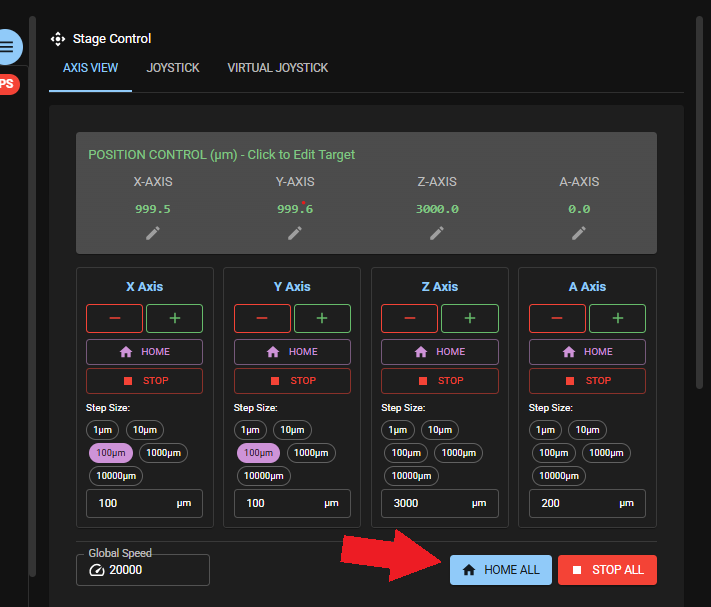
- In the live view app use the button home all to home all axes at once (X/Y/Z/A). This will be done in a predefined flow to mitigate the risk of objective/stage collision.
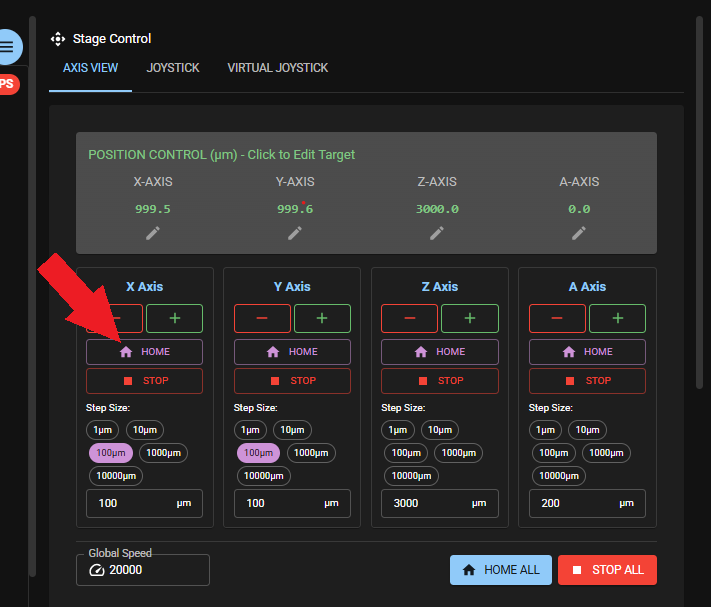
- In the live view app use the button home for each axes to home only this axis.
IMPORTANT: Move stage in Z high enough to make sure objective does not collide with stage.
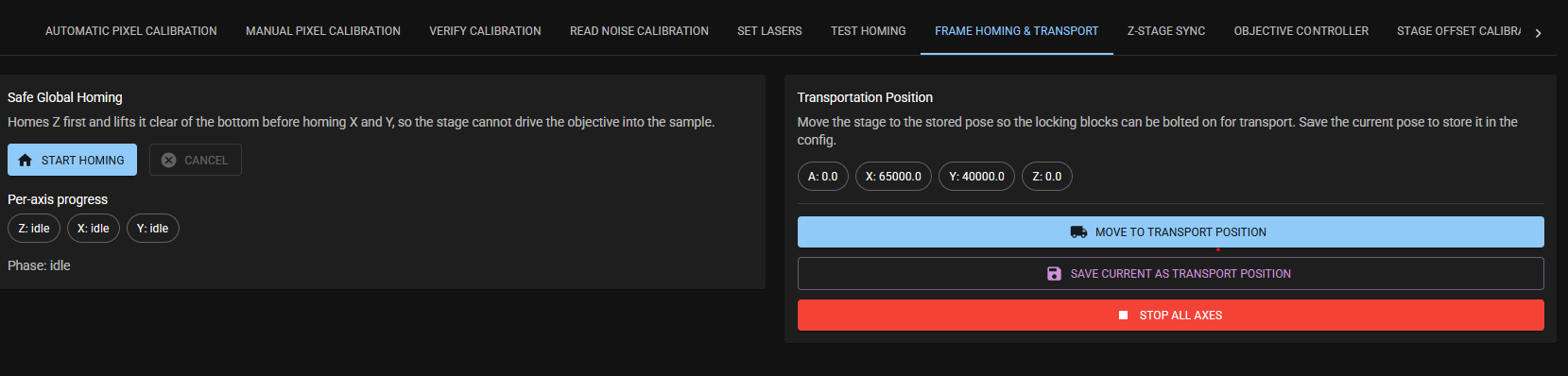
- Go to the Frame settings App and the tab FRAME Homing & Transport. Press Start homing.